
Abuse 2025 SDL2 AmigaOS4 by "AOS4 fans from Mars"
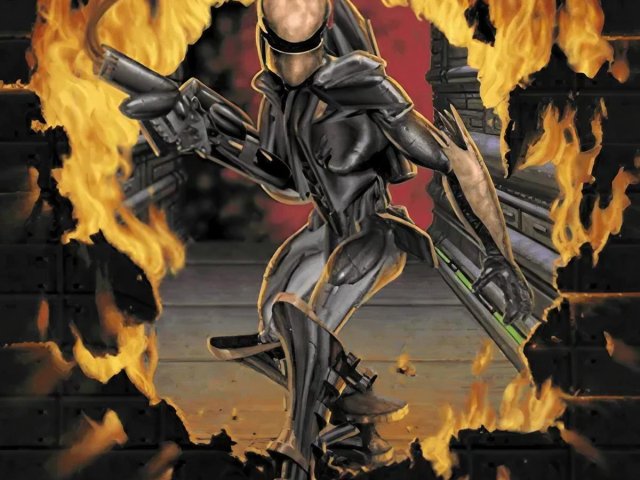
# Abuse 2025

Celebrating its 30th anniversary, Abuse by Crack dot Com remains a timeless classic. Falsely imprisoned in an underground facility, Nick Vrenna becomes humanity's last hope when a genetic experiment called "Abuse" transforms guards and inmates alike into murderous mutants. As the only person immune to the infection, Nick must fight through hordes of grotesque creatures and security systems gone haywire to prevent the contaminated water supply from reaching the outside world. In this intense 90s action game, one man's quest for freedom becomes a desperate race to save humanity.
Experience revolutionary gameplay combining precision mouse aiming with fluid keyboard movement in this intense side-scrolling action platformer. Play through the whole campaign solo or in co-op, dive into community-created content, create your own challenging levels with the built-in editor, or challenge your friends in action-packed LAN multiplayer deathmatches. With its fast-paced combat and atmospheric pixel art, Abuse delivers non-stop action that holds up to this day.
Available as libre software, with source code released under open licenses and game assets as non-commercial freeware. The original shareware content is public domain, making Abuse one of pioneers in accessible, community-supported gaming.
Abuse 2025 is a modern port of the original game, updated to run on modern systems and with new features like high-resolution graphics, gamepad support, and more. This project is a continuation of the [Xenoveritas SDL2 port](https://github.com/Xenoveritas/abuse) and the [Abuse 1996 project](https://github.com/antrad/Abuse_1996). It aims to be the go-to version for playing Abuse on modern systems.
Currently multiplayer between different platforms and on Windows is not supported.
# Table of Contents
- [Getting Started](#getting-started)
- [Configuration](#configuration)
- [Playing the game](#playing-the-game)
- [Development](#development)
- [Resources](#resources)
- [Acknowledgments](#acknowledgments)
## Getting Started
### Installation
See the last release available for your platform in the release section. See the [Development](#development) section for build instructions.
### Data Files
While this repository contains all data files needed to play the base game, these assets come from different sources with varying licenses and historical records. My hope is that the educational and non-profit intentions of this repository will enable it to stay hosted and available. If you prefer to use only clearly-licensed content, please replace the included assets with the public domain subset of the original shareware content available from various archives online.
Save files and configuration are stored in the user folder, which can override default files in the game folder. The game only looks for built-in files if they weren't already found in a the user folder. This allows adding [custom levels](https://dl.pancik.com/abuse/levels/) or [mods](https://dl.pancik.com/abuse/addons/) without affecting the original bundled game files.
Default paths for user data:
- Windows: `%APPDATA%\abuse\data`
- macOS: `~/Library/Application Support/abuse/data`
- Linux: `~/.local/share/abuse/data`
For custom content, there are three types to consider:
| Type | Installation | Launch |
|------|-------------|--------|
| Custom Levels | Place level files in the `data/levels` folder | `abuse -f levels/levelname.spe` |
| Regular Mods | Place mod files in the `data/addon` folder | `abuse -a modname` |
| Total Conversion Mods | Place directly in the data folder | Launches automatically when starting the game |
### Basic Setup
1. Build and install the game following the platform-specific instructions
2. Configure display, audio, and controls settings in the config file (see [Configuration](#configuration))
3. Launch the game
For custom content:
- Place custom levels in the user data directory
- They will override any files with the same name in the base game directory
## Configuration
Configuration is stored in `config.txt` in the user folder. It will be created if it doesn't exist at launch. Lines starting with `;` are comments. Use `1` to enable and `0` to disable options.
### Config File Options
#### Display Settings
- `fullscreen` - Fullscreen mode (`0` - window, `1` - fullscreen window, `2` - fullscreen)
- `borderless` - Enable borderless window mode
- `vsync` - Enable vertical sync
- `virtual_width` - Internal game resolution width
- `virtual_height` - Internal game resolution height (calculated from aspect ratio if not specified)
- `screen_width` - Game window width
- `screen_height` - Game window height
- `linear_filter` - Use linear texture filter (nearest is default)
- `hires` - Enable high resolution menu and screens (`2` for Bungie logo)
- `big_font` - Enable big font
The game is designed to be played at an internal resolution of 320×200 (`virtual_width`×`virtual_height`). Using a higher resolution may reveal some hidden areas. However, when using the editor, a higher resolution is recommended for better visibility and usability.
#### Audio Settings
- `volume_sound` - Sound effects volume (0-127)
- `volume_music` - Music volume (0-127)
- `mono` - Use mono audio only
- `no_music` - Disable music
- `no_sound` - Disable sound effects
- `soundfont` - Path to custom soundfont file. Custom or bundled `AWE64 Gold Presets.sf2` or `Roland SC-55 Presets.sf2`
#### Game Settings
- `local_save` - Save config and files locally
- `grab_input` - Grab mouse to window
- `editor` - Enable editor mode
- `physics_update` - Physics update time in ms (65ms/15FPS original)
- `mouse_scale` - Mouse to game scaling (`0` - match desktop, `1` - match game screen)
- `bullet_time` - Bullet time effect multiplier (percentage)
- `language` - Game language (`english`, `german`, `french`)
### Key Bindings
Default control scheme:
| Action | Default Binding |
|-------------|----------------|
| Left | <kbd>←</kbd> <kbd>A</kbd> |
| Right | <kbd>→</kbd> <kbd>D</kbd> |
| Up/Jump | <kbd>↑</kbd> <kbd>W</kbd> |
| Down/Use | <kbd>↓</kbd> <kbd>S</kbd> |
| Prev Weapon | <kbd>Q</kbd>|
| Next Weapon | <kbd>E</kbd> |
| Fire | <kbd>Mouse Left</kbd> |
| Special | <kbd>Mouse Right</kbd> |
Special key codes for config file:
- `LEFT`, `RIGHT`, `UP`, `DOWN` - Cursor keys and keypad
- `CTRL_L`, `CTRL_R` - Left and right Ctrl
- `ALT_L`, `ALT_R` - Left and right Alt
- `SHIFT_L`, `SHIFT_R` - Left and right Shift
- `F1` - `F10` - Function keys
- `TAB`, `BACKSPACE`, `ENTER` - Standard keys
- `INSERT`, `DEL`, `PAGEUP`, `PAGEDOWN` - Navigation keys
- `CAPS`, `NUM_LOCK` - Lock keys
- `SPACE` - Spacebar
Hardcoded Keys:
- <kbd>1-7</kbd> - Direct weapon selection
- <kbd>Escape/Space/Enter</kbd> - Reset level on death
- <kbd>P</kbd> - Pause game
- <kbd>C</kbd> - Cheat/chat console
- <kbd>F1</kbd> - Show help/controls screen
- <kbd>F5</kbd> - Quick save on save consoles (slot 1/"save0001.spe")
- <kbd>F6</kbd> - Toggle window input grab
- <kbd>F7</kbd> - Toggle mouse scale type
- <kbd>F8</kbd> - Toggle gamepad use
- <kbd>F9</kbd> - Quick load
- <kbd>F10</kbd> - Toggle window/fullscreen mode
- <kbd>Print Screen</kbd> - Take a screenshot
Default Controller Bindings:
- D-pad, left stick - Move in all directions (game and menus)
- Home - Show help/controls screen
- Back - Acts as <kbd>Escape</kbd> key
- Start - Acts as <kbd>Enter</kbd> key
### Gamepad Support
Gamepad options:
- `ctr_aim` - Enable right stick aiming
- `ctr_cd` - Crosshair distance from player
- `ctr_rst_s` - Right stick/aiming sensitivity
- `ctr_rst_dz` - Right stick/aiming dead zone
- `ctr_lst_dzx` - Left stick horizontal dead zone
- `ctr_lst_dzy` - Left stick vertical dead zone
Button binding names:
- `ctr_a`, `ctr_b`, `ctr_x`, `ctr_y` - Face buttons
- `ctr_left_shoulder`, `ctr_right_shoulder` - Shoulder buttons
- `ctr_left_trigger`, `ctr_right_trigger` - Triggers
- `ctr_left_stick`, `ctr_right_stick` - Stick clicks
### Command Line Arguments
#### Core Settings
| Argument | Description |
|----------|-------------|
| `-lsf <filename>` | Custom startup file (default: `abuse.lsp`) |
| `-a <name>` | Load addon from `addon/<name>/<name>.lsp` |
| `-f <filename>` | Load specific level file |
| `-nodelay` | Disable frame delay/timing control |
#### Network Settings

| Argument | Description |
|----------|-------------|
| `-nonet` | Disable networking |
| `-port <number>` | Set network port (1-32000) |
| `-net <servername>` | Connect to game server |
| `-server <name>` | Run as server |
| `-min_players <number>` | Set minimum players (1-8) |
| `-ndb <number>` | Network debug level (1-3) |
| `-fs <address>` | File server address |
| `-remote_save` | Store saves on server |
#### Development/Debug

| Argument | Description |
|----------|-------------|
| `-edit` | Launch editor mode |
| `-fwin` | Open foreground editor |
| `-bwin` | Open background editor |
| `-owin` | Open objects window |
| `-no_autolight` | Disable auto lighting |
| `-nolight` | Disable all lighting |
| `-bastard` | Bypass filename security |
| `-size` | Custom window size (editor) |
| `-lisp` | Start LISP interpreter |
| `-ec` | Empty cache |
| `-t <filename>` | Insert tiles from file |
| `-cprint` | Enable console printing |
#### Audio Settings
| Argument | Description |
|----------|-------------|
| `-sfx_volume <number>` | Sound effects volume (0-127) |
| `-music_volume <number>` | Music volume (0-127) |
## Playing the game

### Game Menu
Use the mouse to select the various options.
| Icon | Option | Description |
|------|---------|-------------|
|  | Load Game | This option is only available after you have saved your position during a game. To load a saved game, click on the Load Game icon. On the left of the Load Game screen are up to five save areas. Click on the number of the game/location you want to re-enter. |
|  | Start New Game | Choose this option when you want to begin a single-player game from the start. You will still be able to access saved positions from previous games. |
|  | Difficulty Levels | There are four levels of difficulty in Abuse: WIMP, EASY, NORMAL and EXTREME. The harder the level, the more difficult it is to kill your enemies, and the easier it is for them to kill you. Change the difficulty level by left-clicking on the difficulty box. |
|  | Gamma Correction | Abuse is meant to be a dark game. To play the game as it is designed, select the darkest shade of gray that you can discern. It should be one step lighter than black. You may adjust the gamma correction any way you prefer. Save your gamma changes by clicking the red "check" button. |
|  | Volume Control | You can adjust either the sound effects (SFX) or the music by pressing on the arrow buttons (remember that a General MIDI sound card is required to play music). Up arrows increase the volume; down arrows decrease it. Save your volume changes by clicking the button at the upper-left of the Volume Window or pressing <kbd>Esc</kbd>. |
|  | Networking | This option takes you to the Network screen. This screen displays all available network games and allows you to create your own game.<br><br>**Join Existing Game:** Select the game you would like to join, then fill out the info blocks. Press <kbd>Esc</kbd> to return to the Options Screen.<br><br>**Start a New Net Game:** Click the START A NEW NET GAME button, then fill out the info blocks. Press <kbd>Esc</kbd> to return to the Options Screen.<br><br>**Exit Net Game:** Exits you from your current game so you can join another one. If you're not currently in a game, this option will not appear. |
|  | Quit Abuse | Exit the game and return to either your DOS prompt or Windows '95. |
### Controls

To better reflect modern game controls, the original arrow key controls have been replaced with <kbd>W</kbd><kbd>A</kbd><kbd>S</kbd><kbd>D</kbd> for movement. Mouse controls aim, left button shoots, right button activates special powers, and mouse scroll switches between weapons.
**Falls**. Jumping off a ledge is the fastest way down. Falls never do any damage at all.
### Environment
| Feature | Description |
|---------------------------|------------------------------------------------------------------------------------------------------------------------------------------------------|
| Health | These restore hit points. |
| Stations | Stations are places where you can save games. Stand in front of the station and press <kbd>S</kbd>. |
| | - To save your position, click on any of the numbered save buttons on the left. A small image of the current screen will appear in the save area. |
| | - To leave without saving your position, press <kbd>Esc</kbd>. |
| Switches & Doors | To activate a switch, press <kbd>S</kbd>. Sometimes, you'll need to use more than one switch to remove an obstacle. |
| Moving Platforms | Press <kbd>S</kbd> to activate a moving platform. If you use either <kbd>A</kbd> or <kbd>D</kbd>, you'll step off the platform. |
| Jump Enhancers | Jump toward a jump enhancer; when you hit it for the first time, your momentum temporarily increases. An enhancer needs to recharge briefly. |
| Destroyable Walls | Some walls will crumble and reveal secret rooms. Weak walls show cracks or signs of damage, but not always. |
| | - When hit, the weapon's fire will terminate with a red glow. |
| | - A solid wall hit terminates with a white glow. |
| Map View | Only available in network play. Press <kbd>M</kbd> to toggle the map view on and off. |
| Teleporter | There are two types of teleporters: local and level. Press <kbd>S</kbd> to use both. |
| Local teleporters | Send you to a different area of the same level. |
| Level exit teleporters| Send you to a new level. |
| Compass | Only available in network play. When acquired, the map view shows the locations of all the non-cloaked players. |
| Special Abilities | Once you run through an ability icon, hold down the right mouse button to use its special power. |
| | - You keep an ability through the rest of the level or until you acquire a new one. |
| Flash Speed | Increases your speed. |
| Cloak | Only available in network play. Makes you almost (but not quite) invisible to other players and shields you from appearing on large-scale maps. |
| Anti-Gravity Boots | Gives you the ability to fly. |
| Ultra-Health | Lets you accumulate up to 200 hit points, instead of the usual 100 points. |
### Weapons & Ammo
|| Weapon | Ammo Type |
|--------------------------------|---------------|-------------------|
|  | Laser | Regular Ammo |
|  | Incendiary Grenade Launcher| Explosive Ammo|
|  | Heat Seeking Rocket Launcher | Rockets |
|  | Napalm | Fuel Ammo |
|  | Energy Rifle | Energy Cells |
|  | Nova Spheres | Spheres |
|  | Death Saber | Energy Cores |
### Cheats
To use cheats, press <kbd>c</kbd> to open the console and type the desired cheat command. The mouse cursor must be inside the console window for input. Press enter when done, or type "quit"/"exit" to close the console.
Available cheats:
- `god` - Makes you invulnerable to all damage
- `giveall` - Gives all weapons and maximum ammunition
- `flypower` - Grants Anti-Gravity Boots effect
- `sneakypower` - Grants Cloak effect
- `fastpower` - Grants Flash Speed effect
- `healthpower` - Grants Ultra-Health effect
- `nopower` - Removes all active special abilities

## Development
The game requires:
* SDL2 2.0.0 or above
* SDL2_mixer 2.0.0 or above
* CMake
### Building on macOS
```bash
brew install cmake sdl2 sdl2_mixer
```
You also need Xcode Command Line Tools:
```bash
xcode-select --install
```
```bash
mkdir build && cd build
cmake .. -DCMAKE_INSTALL_PREFIX=.
make
make install
```
### Building on Ubuntu
```bash
sudo apt-get install build-essential cmake libsdl2-dev libsdl2-mixer-dev
```
```bash
mkdir build && cd build
cmake ..
make
make install
```
For local installation use
```bash
mkdir build && cd build
cmake .. -DCMAKE_INSTALL_PREFIX=.
make
make install
```
## Resources
### Game Information
[Moby Games page](http://www.mobygames.com/game/abuse)
[Abuse homepage](http://web.archive.org/web/20010517011228/http://abuse2.com)
[Free Abuse (fRaBs) homepage](http://web.archive.org/web/20010124070000/http://www.cs.uidaho.edu/~cass...)
[Abuse fan page](http://web.archive.org/web/19970701080256/http://games.3dreview.com/abus...)
### Downloads
[ETTiNGRiNDER's Fortress](https://ettingrinder.youfailit.net/abuse-main.html)
[Assorted Abuse Files](https://dl.pancik.com/abuse/)
### Source code releases
[Original source code](https://archive.org/details/abuse_sourcecode)
[Anthony Kruize Abuse SDL port (2001)](http://web.archive.org/web/20070205093016/http://www.labyrinth.net.au/~t...)
[Jeremy Scott Windows port (2001)](http://web.archive.org/web/20051023123223/http://www.webpages.uidaho.edu...)
[Sam Hocevar Abuse SDl port (2011)](http://abuse.zoy.org)
[Xenoveritas SDL2 port (2014)](http://github.com/Xenoveritas/abuse)
[Antonio Radojkovic Abuse 1996](https://github.com/antrad/Abuse_1996)
### Bonus
[Gameplay video](http://www.youtube.com/watch?v=0Q0SbdDfnFI)
[HMI to MIDI converter](http://www.ttdpatch.net/midi/games.html)
## Acknowledgments
Special thanks go to Jonathan Clark, Dave Taylor and the rest of the Crack Dot Com team for making the best 2D platform shooter ever, and then releasing the code that makes Abuse possible.
Also, thanks go to Jonathan Clark for allowing Anthony to distribute the original datafiles with Abuse.
Thanks to everyone who has contributed ideas, bug reports, and patches over the years (see the AUTHORS file for details). This project stands on the shoulders of many developers who kept it alive for three decades - from the original Crack Dot Com team to the various port maintainers like Anthony Kruize, Jeremy Scott, Sam Hocevar, Xenoveritas and Antonio Radojkovic.

